


You can now copy paste your .env files such as the one below, into LocalOps and start deploying services on any cloud in jiffy!
How many secrets do you have in your projects? Go on. Check your .env file. It doesn’t matter if you have 10, 50, 100, 200, 300 or 500.
# Database configuration
DB_HOST=localhost        # Hostname of the database server
DB_PORT=5432             # Port number for the database
DB_USER=myuser           # Username for database authentication
DB_PASSWORD=secret123    # Password for database user

# Application settings
APP_ENV=development      # Application environment (development, staging, production)
APP_DEBUG=true           # Debug mode flag (true or false)

# API keys
API_KEY=abcdef12345      # API key for external services

# Server configuration
SERVER_PORT=8080         # Port on which the app server runs

# Feature flags
ENABLE_CACHE=false       # Toggle caching feature
Bulk import/update secrets:
Go to your service > Secrets section and you will find “Bulk Import” button. Just click on that and copy your .env file. Each of those secrets will be stored and encrypted in your cloud’s secret manager (Parameter store in AWS for eg.,)

Build secrets:
Here is the kicker. Each of those secrets will get passed to your build process too as build arguments. This way:
docker build --build-arg IMAGE_VERSION=1.2.3 -t yourserviceimage:tagAnd you can capture any of them in your Dockerfile as
ARG IMAGE_VERSIONSo for example - you can import private go repos into your code while building them in your Dockerfile.
Document secrets:
You have 100s of secrets. Do you document them? How will your colleagues understand what each of them mean. In .env file you can add comments like this:
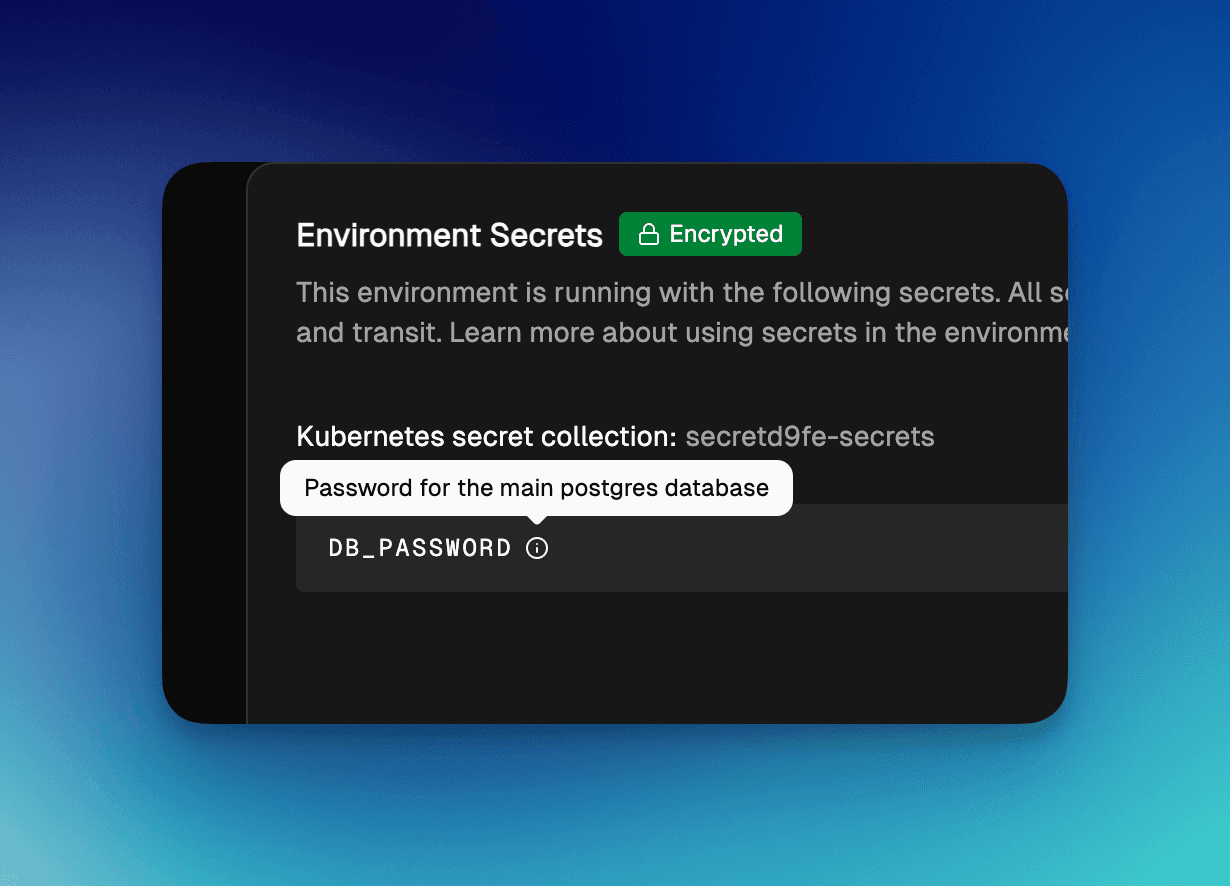
DB_PASSWORD=secret123 # Password for main postgres databaseIn secrets section, you can now add comments by editing the secret and adding a “description”.
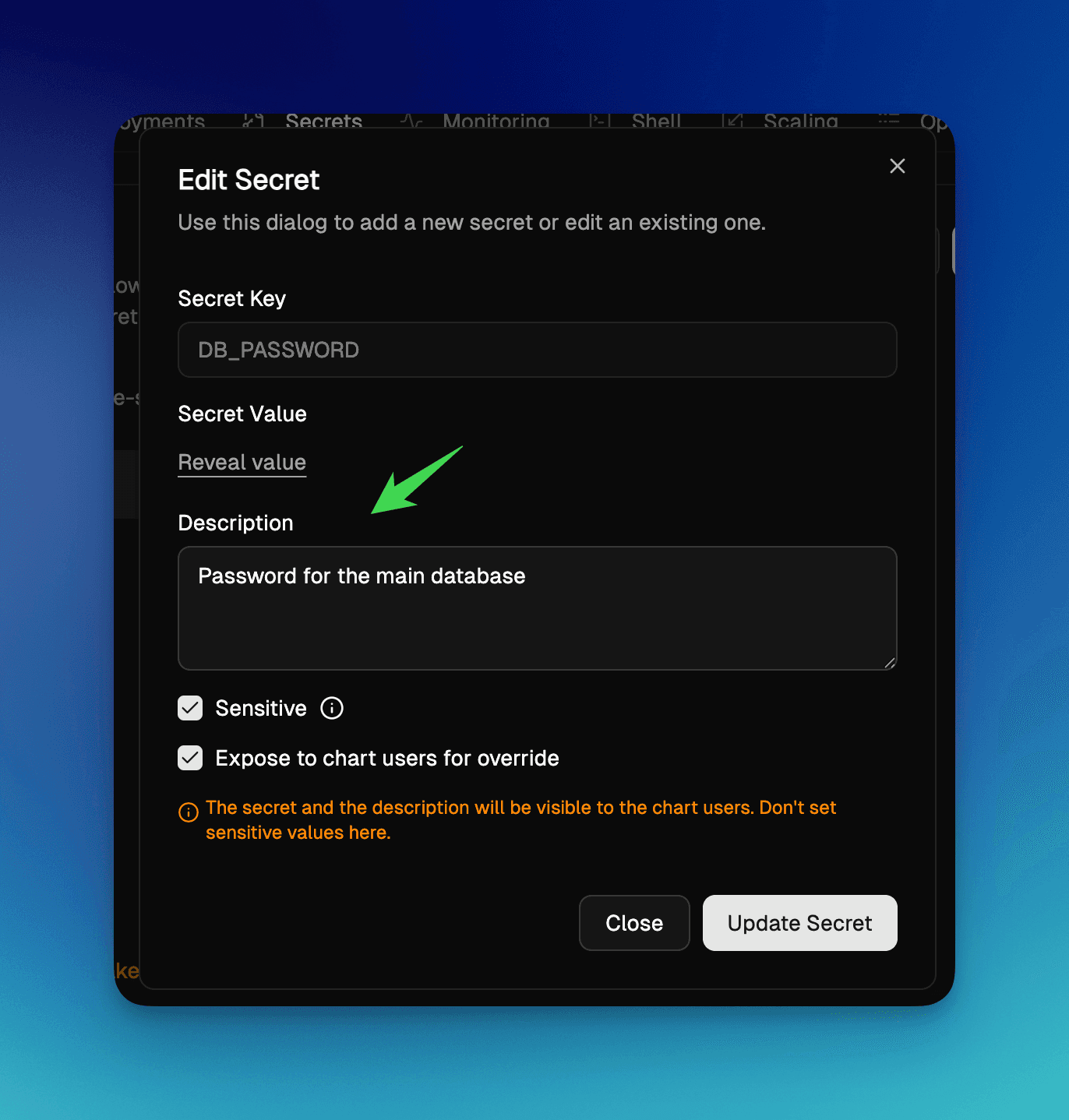
And they would show up as “i” next to the secret name, like below:
Wait there is more.
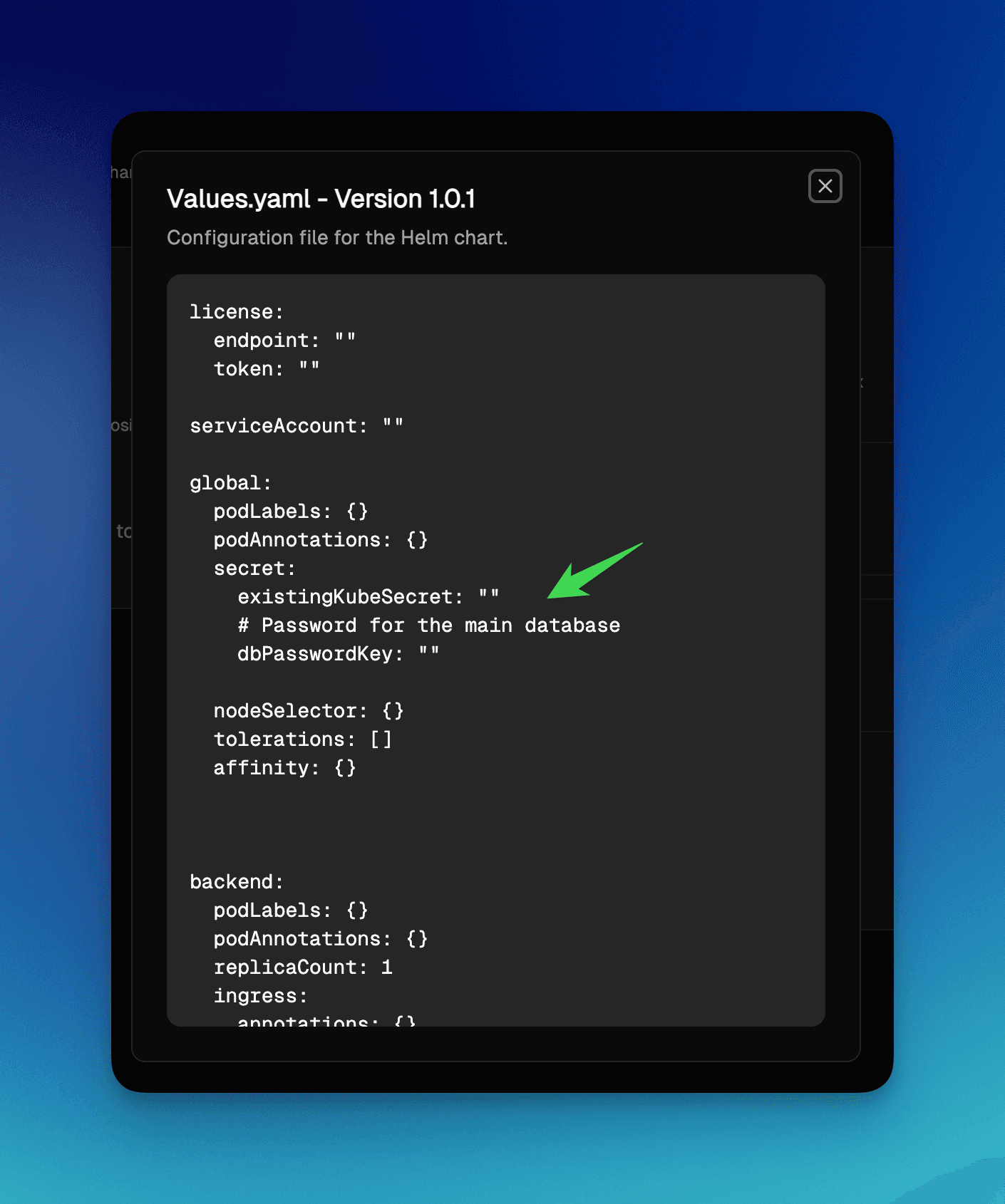
Values.yaml of your Helm charts will have these comments too:
When you generate Helm charts from your services running in LocalOps (yes, you can generate helm charts in 1-click) and you expose these secrets for your helm chart users to pass in values, these descriptions come out in Values.yaml helping them to pass appropriate value.
Like:
Get started now:
Offer BYOC, SaaS, Self-hosted versions of your service on any cloud your customers want across AWS, GCP, Azure and On-prem.
Schedule a quick demo at https://go.localops.co/tour or sign up for free at https://console.localops.co/signup.