

We released quite a few enhancements today.
If you run multiple products and multiple engineering teams handling their own qa, uat and production environments, you will love this update.
Switch between multiple organizations/teams:
Users can now belong to multiple organizations using their same login / email address. And they can easily switch between the organizations from the top left menu like this:
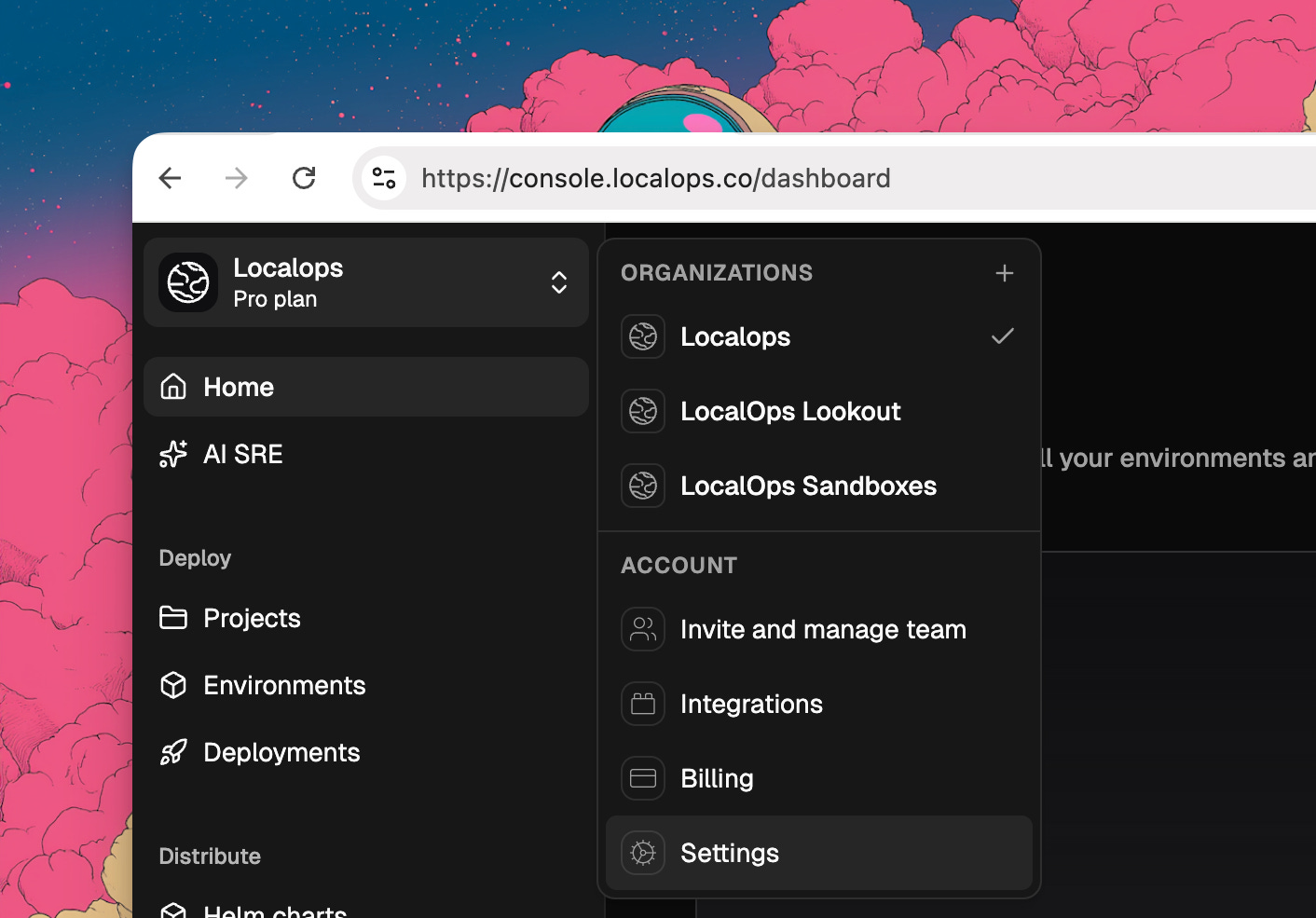
Each organization can have unique environments like this:
Github org
ECR Registries
Environments
qa
uat
production
Deployments
Enhanced CLI Login:
LocalOps CLI now use the existing web login sessions to authenticate.
To login, just type this in your terminal:
$ ops login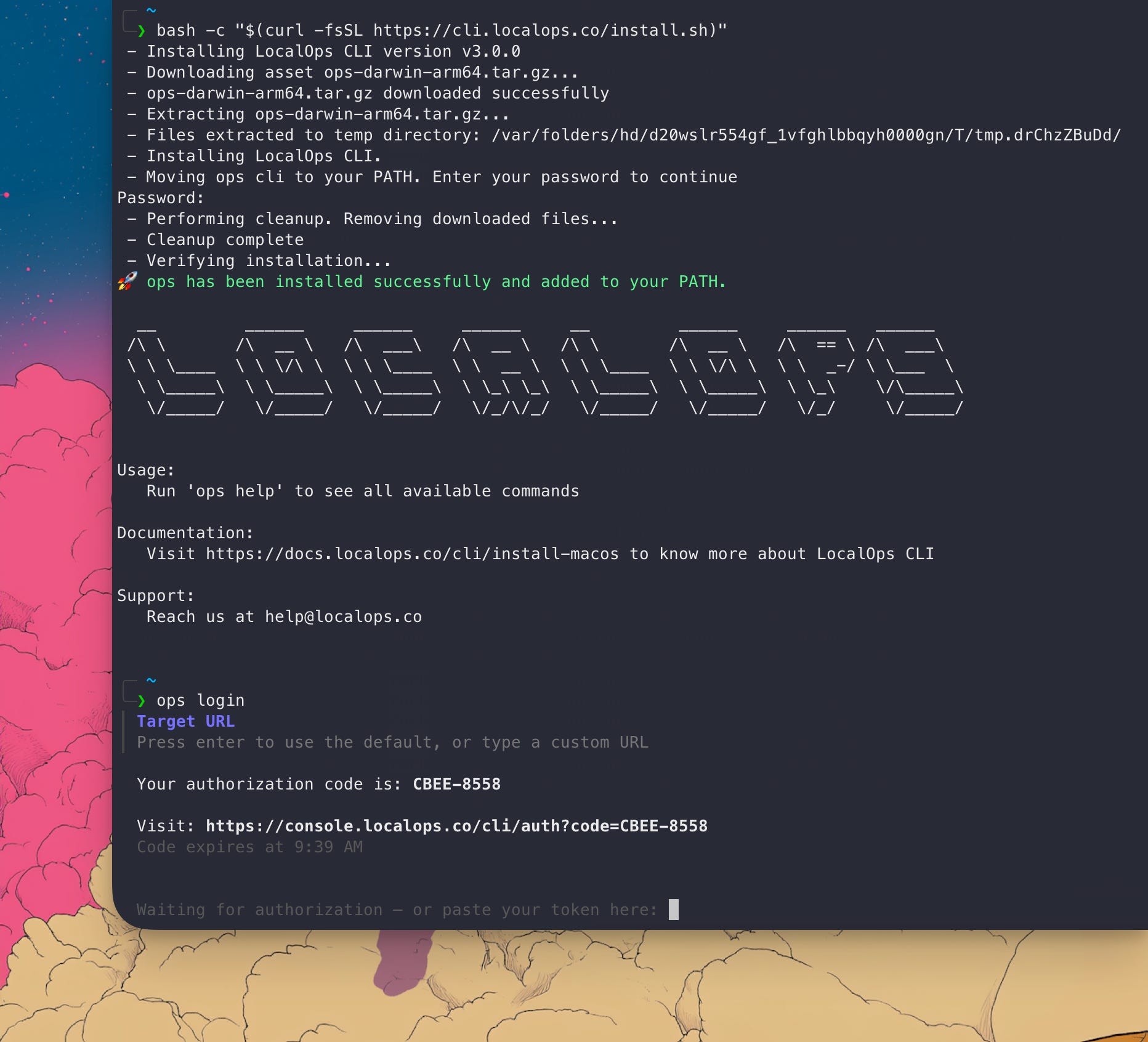
And you will get a link to click and open the browser. If you’re already logged in to LocalOps console (console.localops.co), we will show up the authorization form that CLI is requesting to use your current login. Once you authorize, boom! You can access LocalOps services via CLI.
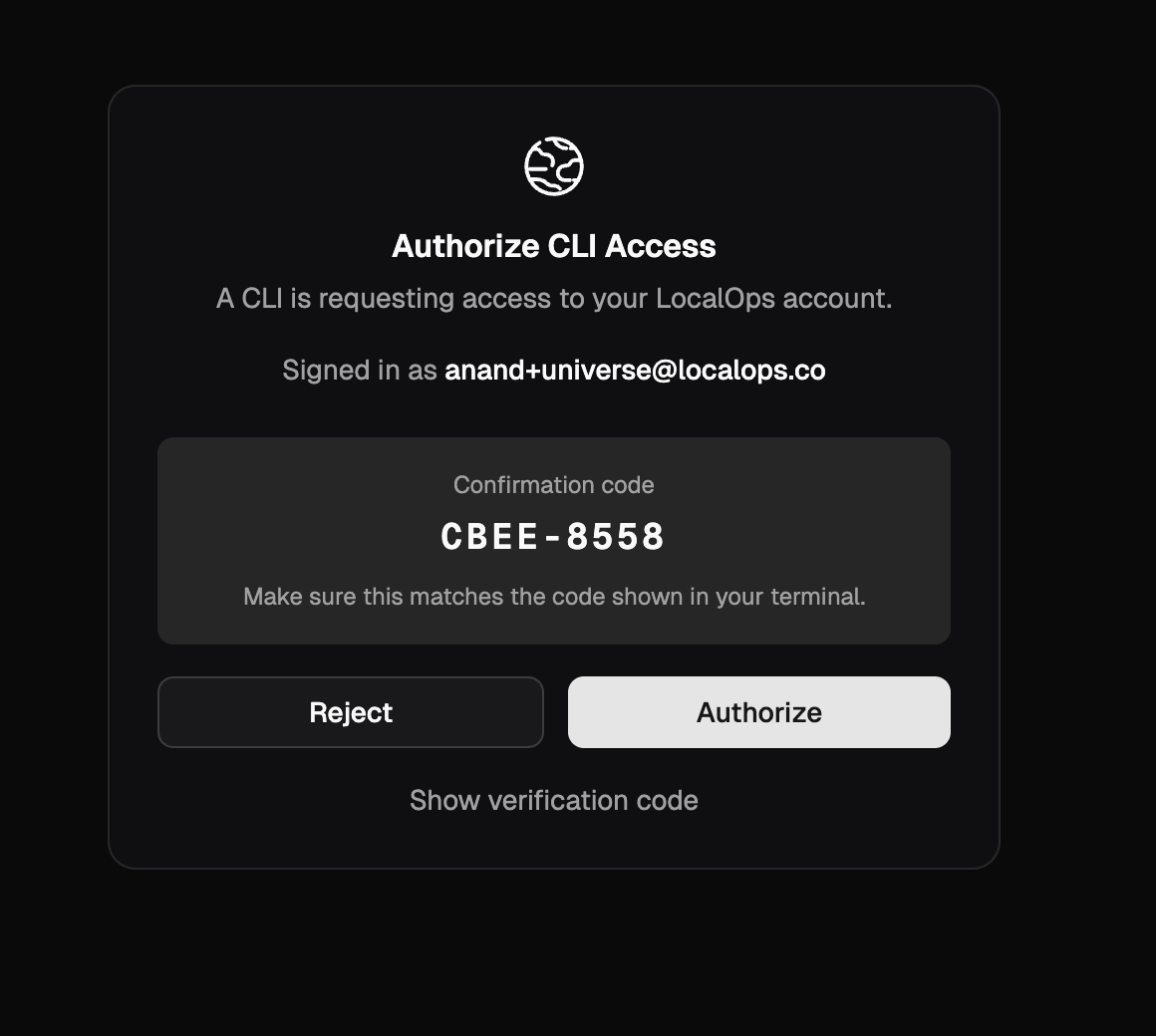
You will need to update the CLI version to v3.0.0 to get this update. Checkout https://docs.localops.co/cli/install-macos (for MacOS) or https://docs.localops.co/cli/install-windows (for Windows) or https://docs.localops.co/cli/install-linux (for Linux) to learn more.
Reach out to us get a quick tour of LocalOps - https://go.localops.co/tour.
Or sign up for free at https://console.localops.co/signup.
Cheers.