


We released a ton of new capabilities this week. All of them, make it so easier for teams to customise how services are deployed or run.
Starting with custom network IP ranges.
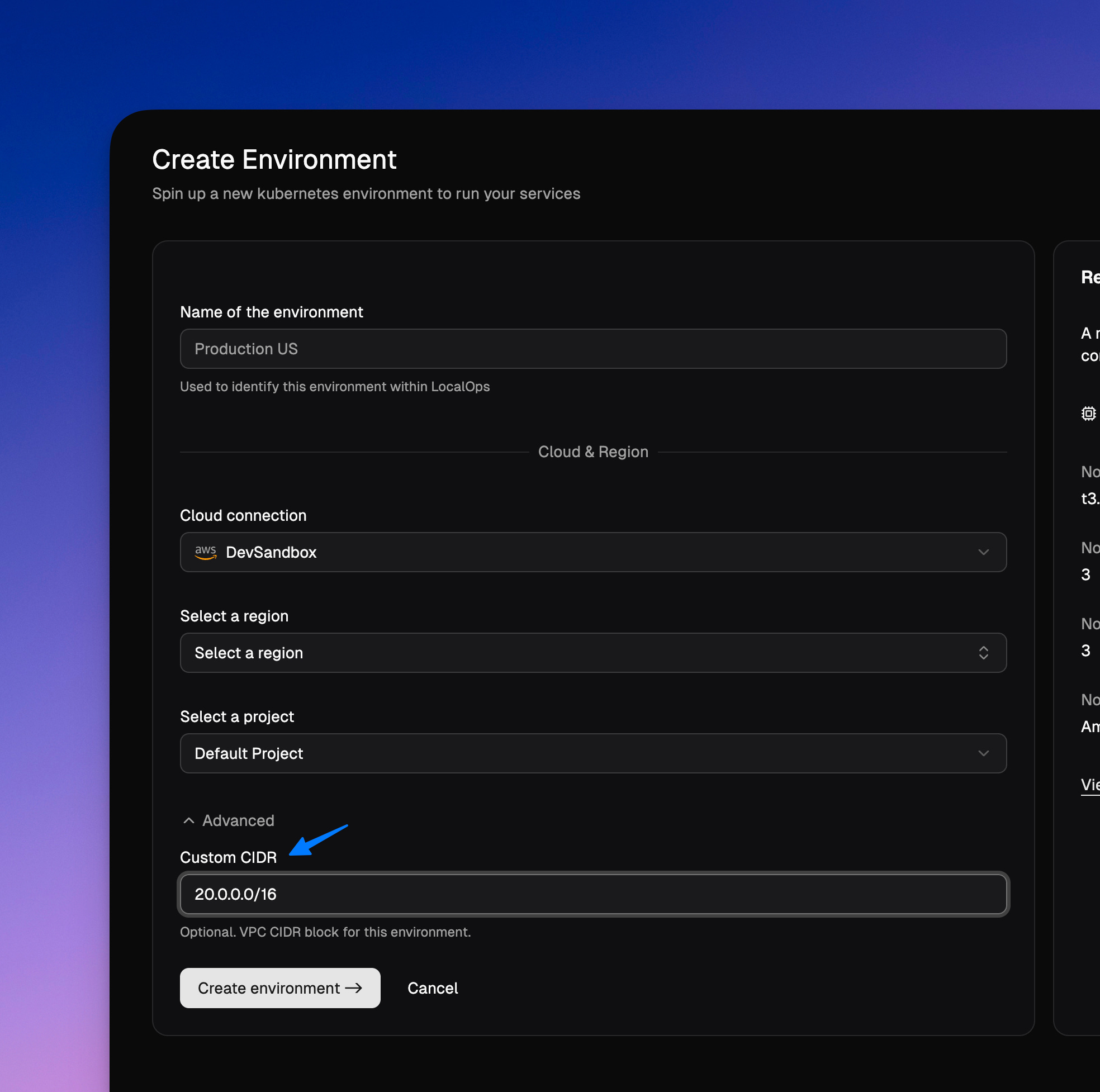
Custom CIDRs:
When creating a new environment for production or staging setups, you can now pick custom CIDRs ranges. This lets you pick a custom network IP range for your environment and fulfill requirements set by your cloud operations team or those set by your customers network team.
Custom node groups:
So far, all environments were powered by one node group. These nodes in AWS were on demand Amazon Linux nodes with AMD64 architecture that was specifically picked to run:
system components of the environment
monitoring stack - prometheus, loki and grafana backends
and your services.
It meant that your services can be only be Linux containers and were built to run with AMD64 architecture.
From now, you can create custom node groups with any
OS: Linux or Windows
Capacity type: ON_DEMAND or SPOT
Instance type: any instance type supported by AWS
Architecture: AMD64 or ARM64.
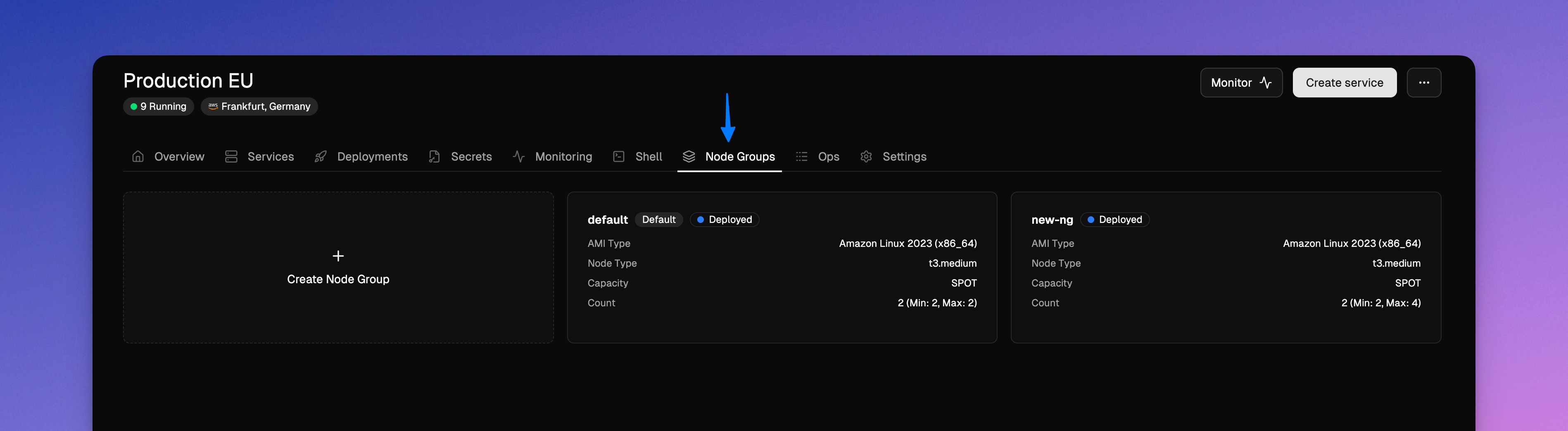
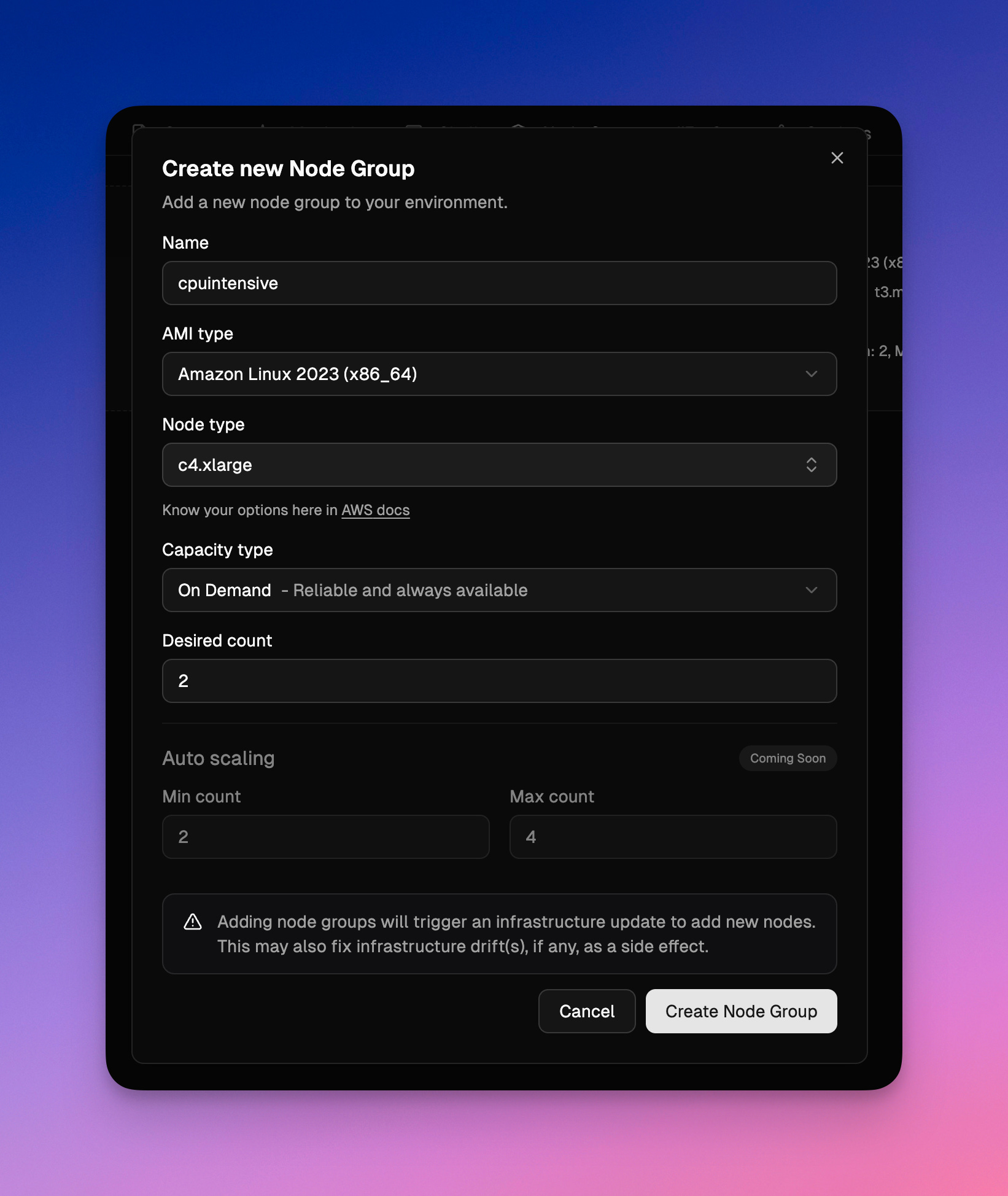
👆 And services can be assigned to any node group so that its containers are run only within the assigned nodes.
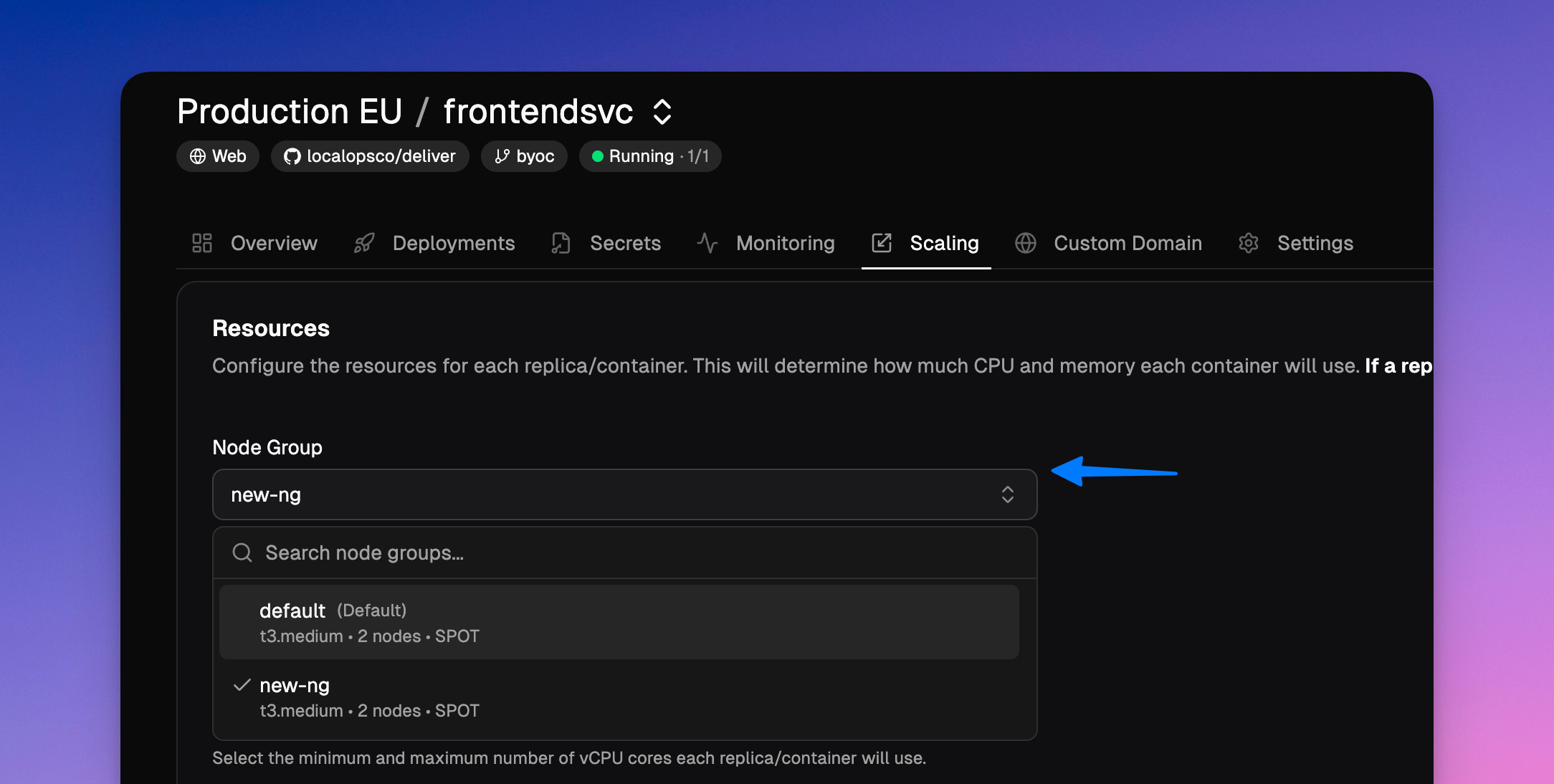
This opens up all the freedom for your teams to run their services on any node set, to improve efficiency and save costs
Spot instances & 50% savings:
While creating node groups, you can pick capacity type to be “Spot” and then create them. Spot instances are spare capacity AWS has and that they make it available temporarily for ~50% lower cost. They retrieve these instnaces with 2min notice. Idempotent services / services that can be stopped and restarted on a new node without any side-effects can be run on SPOT node groups and you can enjoy 50% savings.
Windows nodes:
Today’s changes introduce Windows support too.
While creating node groups, any supported Windows OS can be chosen as AMI family. And then you can create services that are based out of windows docker images and assign them to these windows node groups.
Observability for windows-based services including node metrics, container logs and metrics are made available within Grafana dashboard, just as Linux services.
ARM64 & ~30% savings:
And yes, you can also spin up node groups with an ARM64 instance type like t4g.medium that offer 20-30% more performance / dollar on AWS. Code pushed to Github
The unique aspect of this is that all of this behavior will be cloud neutral. Same mechanics will exist on environments creaed on both Azure and Google cloud.
Custom resource tags:
All resources provisioned for environments already come with two standard tags.
id
name
This allowed teams to analyze costs by filtering cloud resources by these properties.
In addition, you can add custom resource tags under Account settings. So that you can attach your own tags to all cloud resources. For example:
team: apiorg: acme-corpbu: org-name
Real time run status:
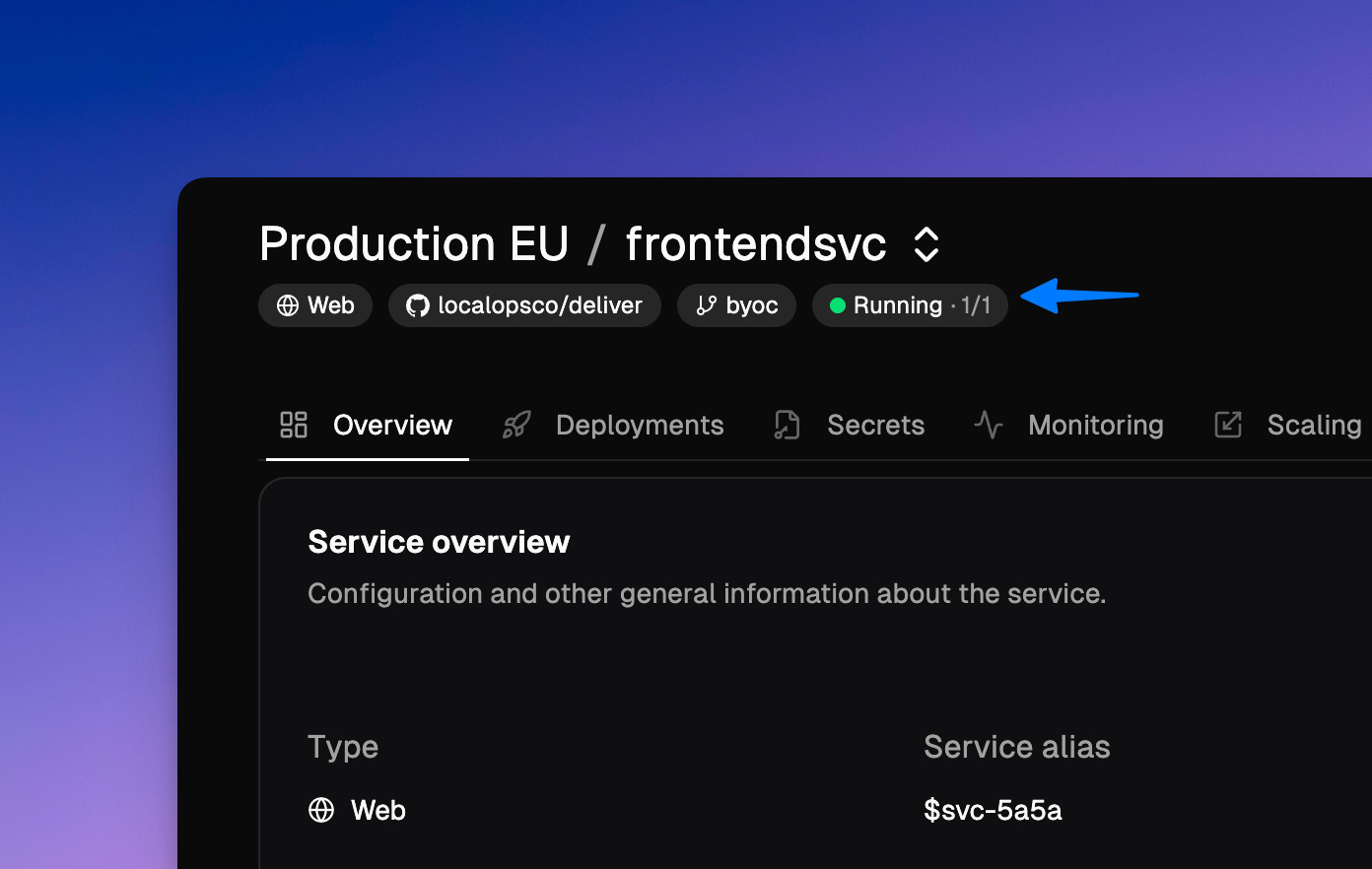
Services will now display exact run status of all the underlying pods. So , you will see
running (2/2)if all 2 replicas/pods are running as desired
degraded (1/2)failing
Devs can skip using our CLI or k9s or kubectl to dig into running status of their services.
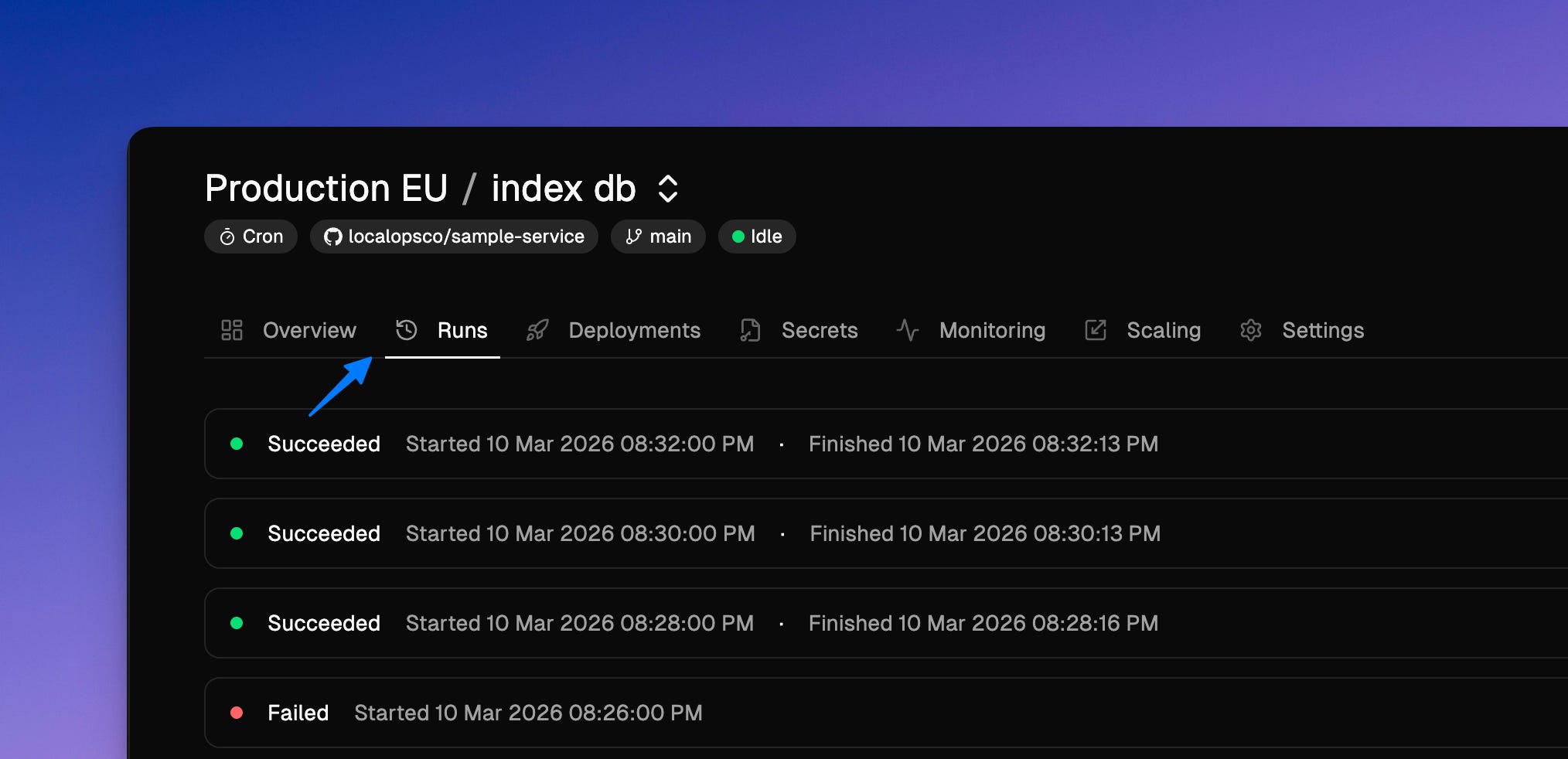
For crons and jobs, we have also introduce “Runs” tab. It will show all current and historic job runs with failed/success status.
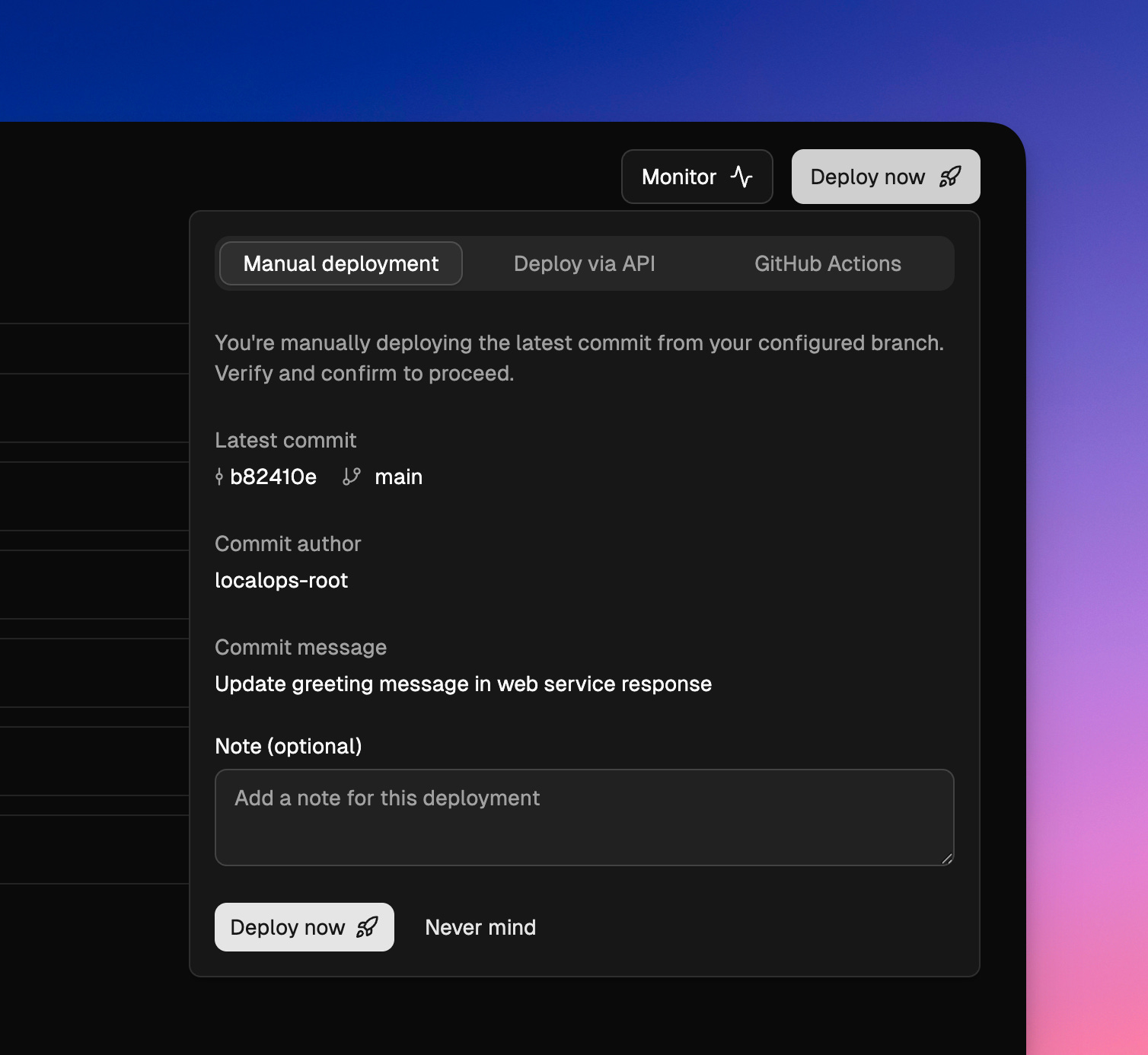
Deployment notes:
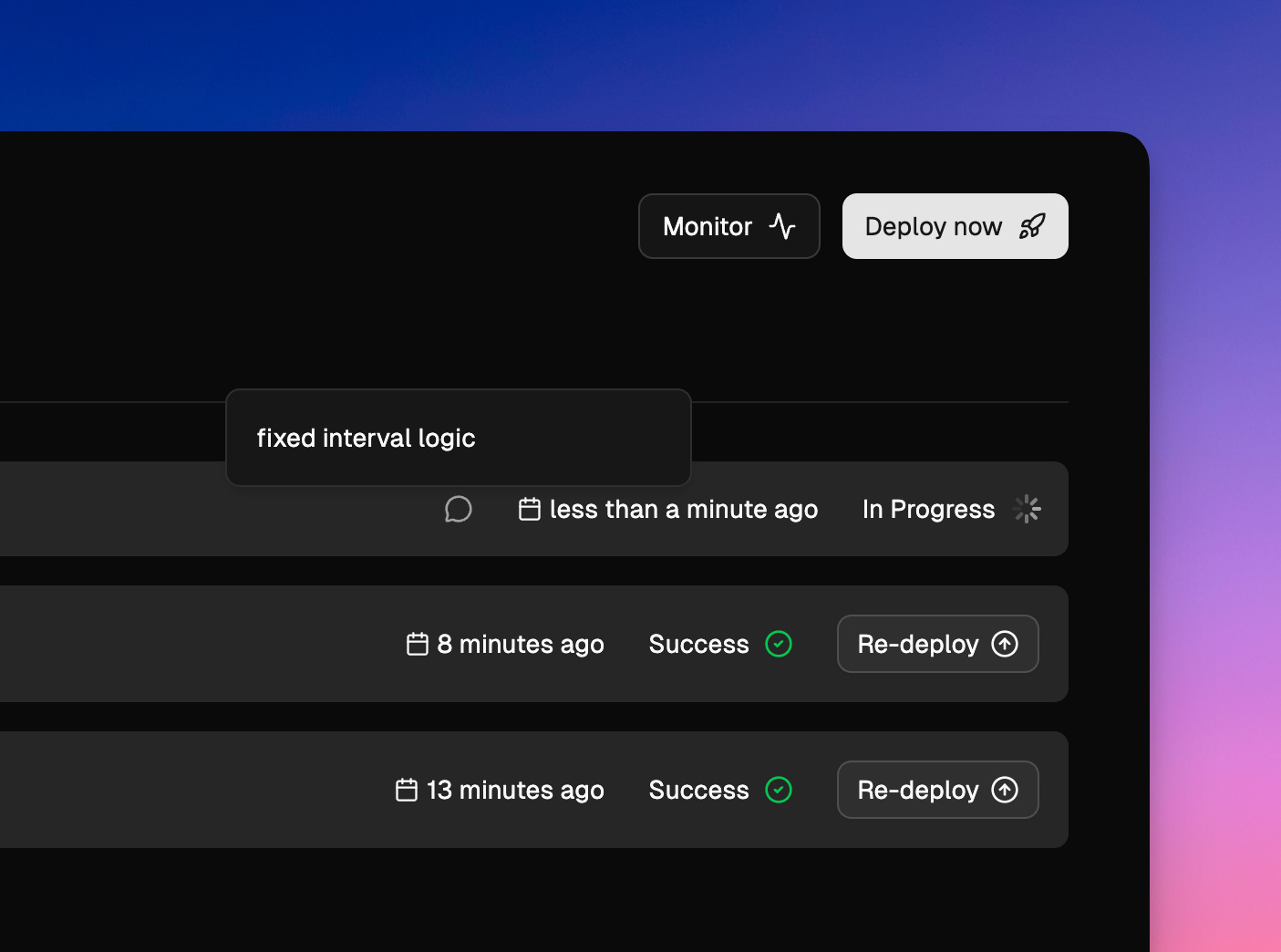
Teams can now add a note while triggering new deployments. This is an optional field though.
And they appear as a chat bubble.
LocalOps is your Internal developer platform, making it easy for teams to deploy on any cloud via just git push, automate & standardize their infrastructure setup & deployments across any number of environments and cloud accounts. All from a single console which product engineering teams can understand and operate.
Schedule a quick demo now at https://go.localops.co/tour. Or sign up for a free account at https://console.localops.co/
Cheers.